> ## Documentation Index
> Fetch the complete documentation index at: https://docs.getmocha.com/llms.txt
> Use this file to discover all available pages before exploring further.
# Direct Edit Mode
> Edit text directly on your website without using AI credits
Direct Edit Mode lets you make quick text changes to your website without using AI credits. Simply click on text elements and edit them directly - perfect for typos, content updates, and quick tweaks.
## Enabling Direct Edit Mode
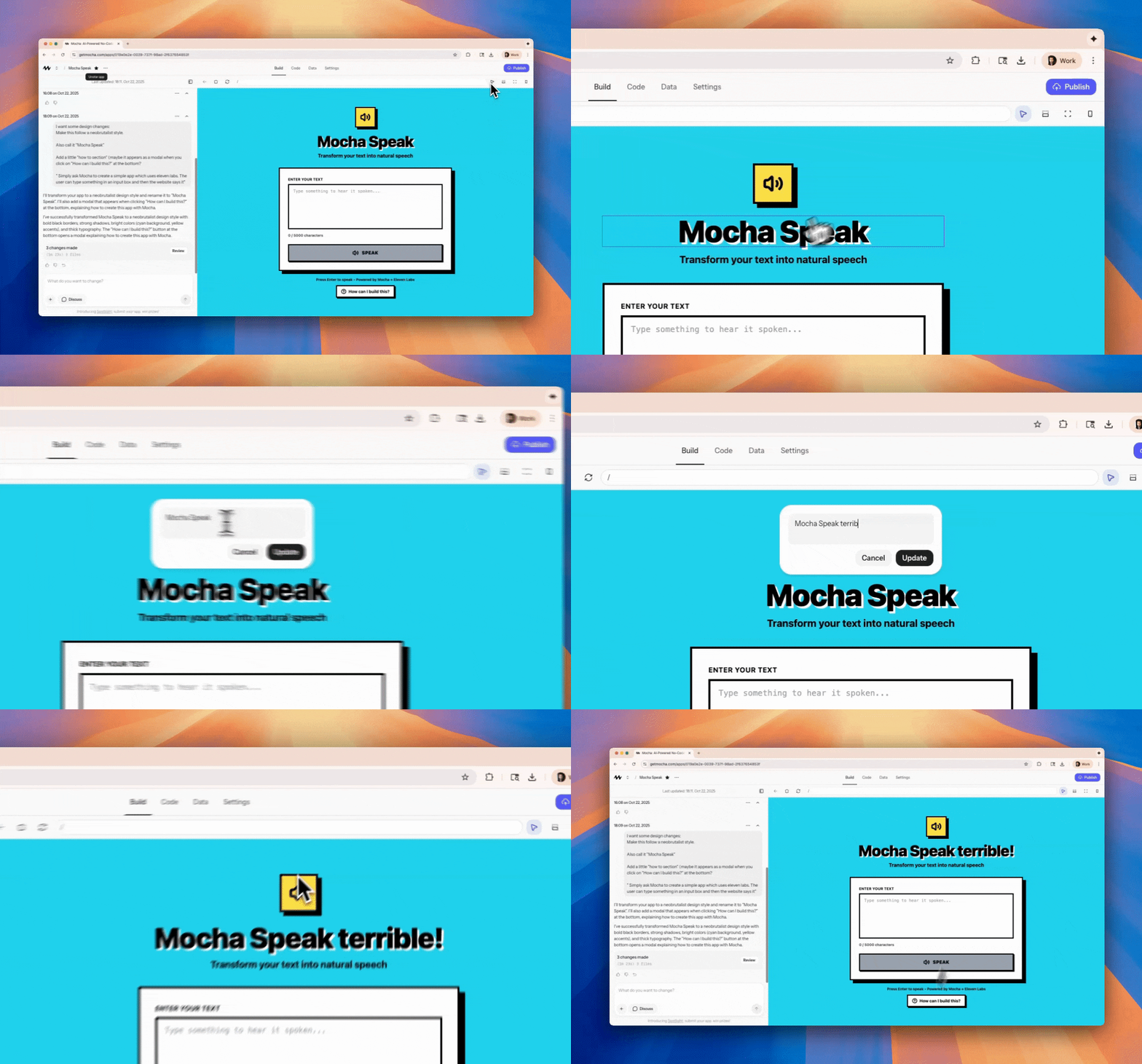
You can enable Direct Edit Mode directly from the header of your project.
 ## How to Use Direct Edit Mode
Once enabled, editing text is simple:
Click on any text element you want to edit
Type your new text directly in the element
Click outside the element or press Enter to save
## Benefits
Direct edits don't consume AI credits, saving you money
See your changes immediately without waiting for AI processing
Perfect for typos, content updates, and quick text changes
Just click and type - no complex interface needed
## Limitations
Not all text can be edited directly. If text is dynamically generated, Direct Edit Mode won't work and you'll need to ask the AI to make changes instead.
When you try to edit dynamically generated content, Mocha will let you know and suggest using the AI for those changes.
## Coming Soon
Direct Edit Mode will expand with even more functionality:
* 📸 **Image Upload**: Replace images directly
* 🎨 **Style Tweaks**: Adjust fonts, colors, and spacing
* 🤖 **AI Improvements**: Enhance content with AI assistance
* ✨ **And More**: Additional editing capabilities
Use Direct Edit Mode for quick text changes and save your AI credits for more complex modifications and new feature requests.
## How to Use Direct Edit Mode
Once enabled, editing text is simple:
Click on any text element you want to edit
Type your new text directly in the element
Click outside the element or press Enter to save
## Benefits
Direct edits don't consume AI credits, saving you money
See your changes immediately without waiting for AI processing
Perfect for typos, content updates, and quick text changes
Just click and type - no complex interface needed
## Limitations
Not all text can be edited directly. If text is dynamically generated, Direct Edit Mode won't work and you'll need to ask the AI to make changes instead.
When you try to edit dynamically generated content, Mocha will let you know and suggest using the AI for those changes.
## Coming Soon
Direct Edit Mode will expand with even more functionality:
* 📸 **Image Upload**: Replace images directly
* 🎨 **Style Tweaks**: Adjust fonts, colors, and spacing
* 🤖 **AI Improvements**: Enhance content with AI assistance
* ✨ **And More**: Additional editing capabilities
Use Direct Edit Mode for quick text changes and save your AI credits for more complex modifications and new feature requests.