> ## Documentation Index
> Fetch the complete documentation index at: https://docs.getmocha.com/llms.txt
> Use this file to discover all available pages before exploring further.
# Discuss Mode
> A dedicated toggle for conversational interactions with your codebase
## Overview
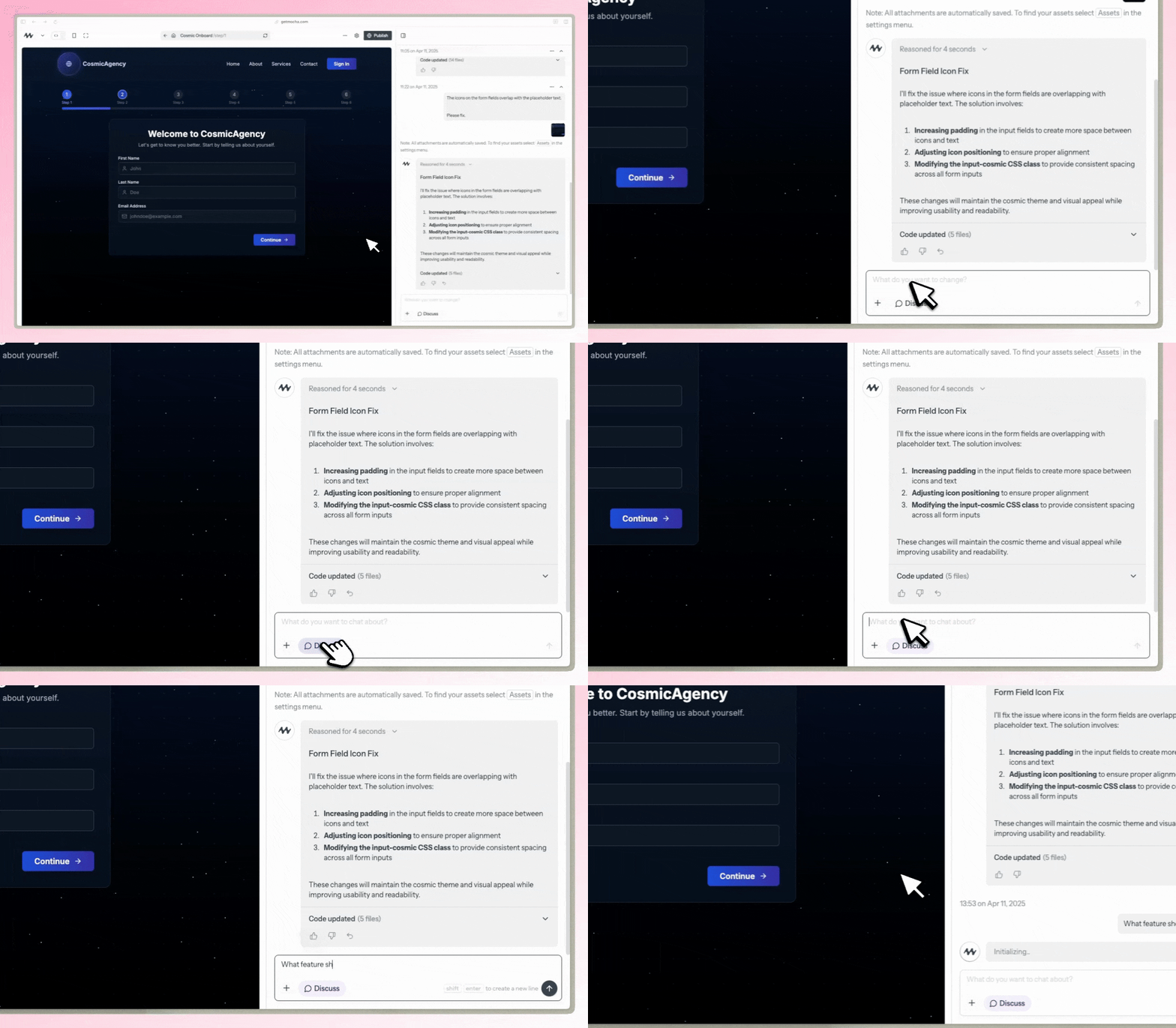
Discuss Mode is a chat mode that guarantees no changes to your files while interacting with Mocha.
You can freely ask questions, brainstorm ideas, and get help without worrying about unintended modifications to your codebase.
Use it as an AI-powered development partner that offers insights, debugging help, and guidance within Mocha.
Discuss Mode transforms Mocha from a code generator into an interactive assistant that helps you plan effectively, debug intelligently, and ship confidently.
Discuss Mode now runs on the same model as code mode, giving it full access to your conversation history and the ability to investigate issues in real-time by taking screenshots and reading logs. It can also take multiple turns on its own to dig deeper into problems before reporting back.
 ## Use Cases
### Debugging & Problem Solving
* Get step-by-step breakdowns of errors
* Resolve stuck loops and infinite processes
* Understand complex error messages
### Feature Planning & Implementation
* Identify minimal necessary changes for new features
* Plan database structures and relationships
* Design scalable system architectures
### Product Development
* Refine feature ideas before implementation
* Make informed product decisions
* Structure features and onboarding flows
### Code Quality & Best Practices
* Get real-time coding feedback
* Improve code readability and efficiency
* Learn and apply best practices
### Knowledge & Documentation
* Store and organize development knowledge
* Create and maintain documentation
* Reduce redundant prompts and questions
### Collaboration & Learning
* Bridge communication between technical and non-technical team members
* Get guidance on API integrations and technical concepts
* Learn new development techniques and patterns
### Safe Discussion
* Guaranteed no code changes when Discuss Mode is active
* Freely ask questions and brainstorm ideas
* Get AI assistance without worrying about unintended modifications
## How to Use
Click the "Discuss Mode" button in the interface when you want to chat about your code without making changes
Ask questions, brainstorm ideas, or troubleshoot issues with the AI
When you're ready to make changes, simply toggle Discuss Mode off
## Pricing
Discuss Mode now uses dynamic credits, just like regular code mode. Because it runs on the same model, each request may cost more than before—but the improved reasoning and context awareness often saves credits overall by helping you avoid mistakes and plan more effectively.
## Feedback
We'd love to hear your thoughts on Discuss Mode! Share your feedback in our Discord community.
## Use Cases
### Debugging & Problem Solving
* Get step-by-step breakdowns of errors
* Resolve stuck loops and infinite processes
* Understand complex error messages
### Feature Planning & Implementation
* Identify minimal necessary changes for new features
* Plan database structures and relationships
* Design scalable system architectures
### Product Development
* Refine feature ideas before implementation
* Make informed product decisions
* Structure features and onboarding flows
### Code Quality & Best Practices
* Get real-time coding feedback
* Improve code readability and efficiency
* Learn and apply best practices
### Knowledge & Documentation
* Store and organize development knowledge
* Create and maintain documentation
* Reduce redundant prompts and questions
### Collaboration & Learning
* Bridge communication between technical and non-technical team members
* Get guidance on API integrations and technical concepts
* Learn new development techniques and patterns
### Safe Discussion
* Guaranteed no code changes when Discuss Mode is active
* Freely ask questions and brainstorm ideas
* Get AI assistance without worrying about unintended modifications
## How to Use
Click the "Discuss Mode" button in the interface when you want to chat about your code without making changes
Ask questions, brainstorm ideas, or troubleshoot issues with the AI
When you're ready to make changes, simply toggle Discuss Mode off
## Pricing
Discuss Mode now uses dynamic credits, just like regular code mode. Because it runs on the same model, each request may cost more than before—but the improved reasoning and context awareness often saves credits overall by helping you avoid mistakes and plan more effectively.
## Feedback
We'd love to hear your thoughts on Discuss Mode! Share your feedback in our Discord community.