> ## Documentation Index
> Fetch the complete documentation index at: https://docs.getmocha.com/llms.txt
> Use this file to discover all available pages before exploring further.
# Remove the Watermark
> How to disable the Mocha watermark on your published app
The Mocha watermark appears on free plans to help support our platform. If you're on a paid plan, you can remove it from your app.
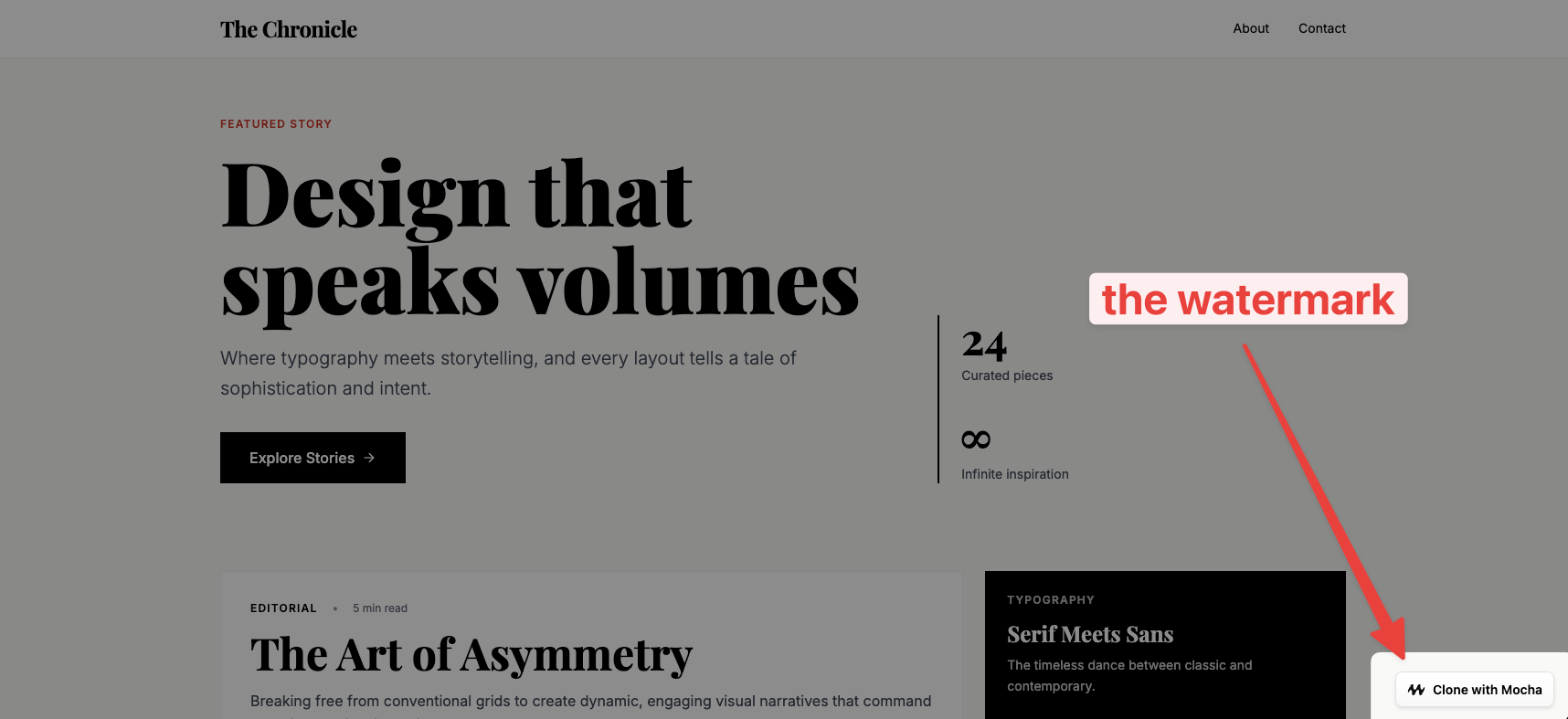 Removing the watermark is a paid feature. New apps created on paid plans have the watermark disabled by default. However, if you created your app while on the free tier and then upgraded to a paid plan, you'll need to manually disable it.
## How to remove the watermark
Open your project settings in Mocha. You can find the Settings option in your project menu.
Look for the **"Show Watermark"** toggle in your settings and turn it off.
Click the **Save** button to apply your changes.
After saving, make sure to **publish your app** for the changes to take effect on your live site. The watermark will remain visible until you publish.
Removing the watermark is a paid feature. New apps created on paid plans have the watermark disabled by default. However, if you created your app while on the free tier and then upgraded to a paid plan, you'll need to manually disable it.
## How to remove the watermark
Open your project settings in Mocha. You can find the Settings option in your project menu.
Look for the **"Show Watermark"** toggle in your settings and turn it off.
Click the **Save** button to apply your changes.
After saving, make sure to **publish your app** for the changes to take effect on your live site. The watermark will remain visible until you publish.
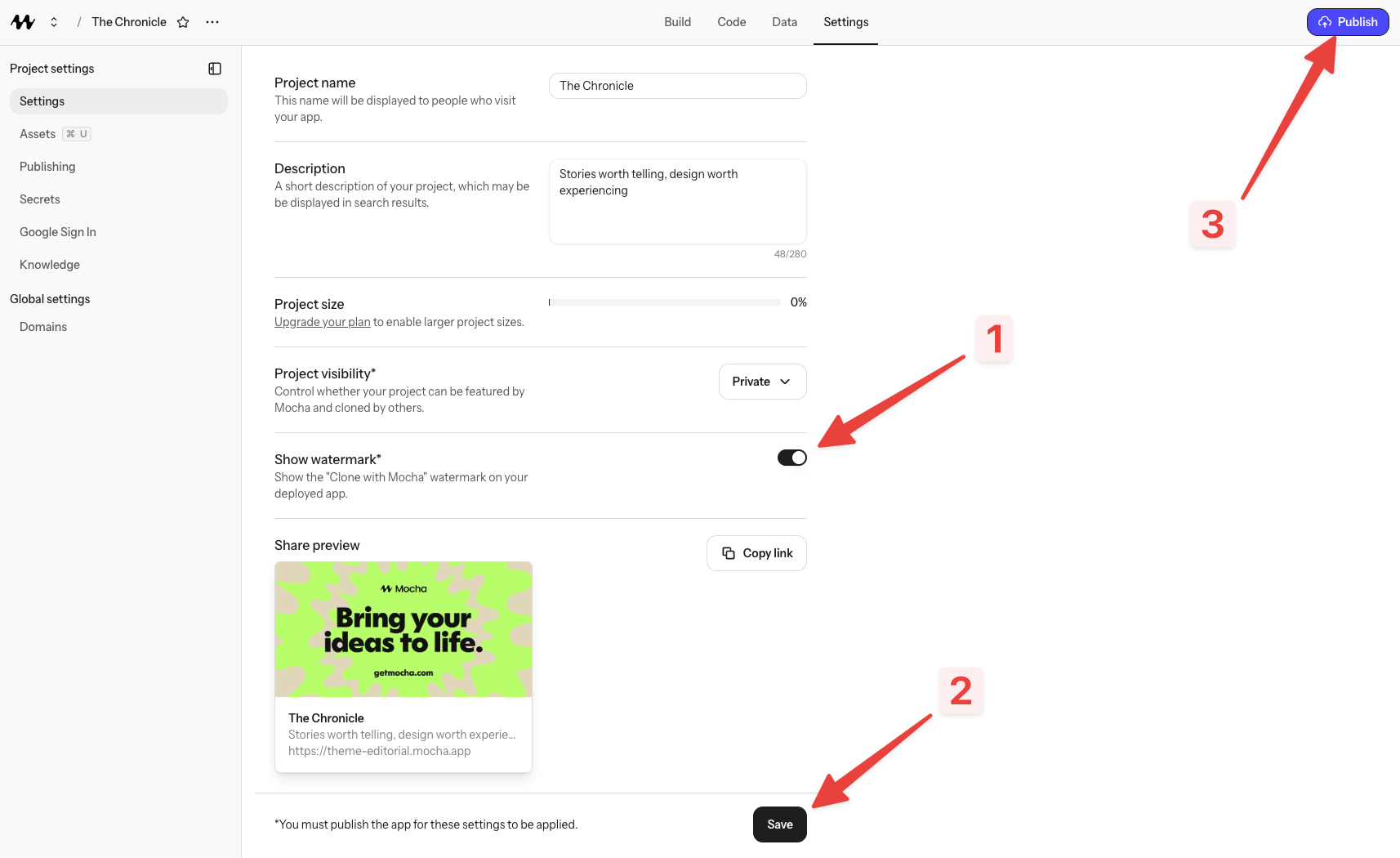 Don't forget to do both: **save your settings** and **publish your app**. Many people save but forget to publish, which means the watermark will still appear on your live site. Both steps are required!
## Why do I still see the watermark?
If you've upgraded to a paid plan but still see the watermark, it's likely because:
* You created the app while on the free tier (watermarks are enabled by default)
* You haven't disabled it in settings yet
* You saved your settings but haven't published your app
Follow the steps above to remove it. If you're on a paid plan and still having issues, reach out on our [Discord server](https://discord.gg/shDEGBSe2d) for help.
Don't forget to do both: **save your settings** and **publish your app**. Many people save but forget to publish, which means the watermark will still appear on your live site. Both steps are required!
## Why do I still see the watermark?
If you've upgraded to a paid plan but still see the watermark, it's likely because:
* You created the app while on the free tier (watermarks are enabled by default)
* You haven't disabled it in settings yet
* You saved your settings but haven't published your app
Follow the steps above to remove it. If you're on a paid plan and still having issues, reach out on our [Discord server](https://discord.gg/shDEGBSe2d) for help.