

Overview
Discuss Mode is a chat mode that guarantees no changes to your files while interacting with Mocha. You can freely ask questions, brainstorm ideas, and get help without worrying about unintended modifications to your codebase. Use it as an AI-powered development partner that offers insights, debugging help, and guidance within Mocha. Discuss Mode transforms Mocha from a code generator into an interactive assistant that helps you plan effectively, debug intelligently, and ship confidently. Discuss Mode now runs on the same model as code mode, giving it full access to your conversation history and the ability to investigate issues in real-time by taking screenshots and reading logs. It can also take multiple turns on its own to dig deeper into problems before reporting back.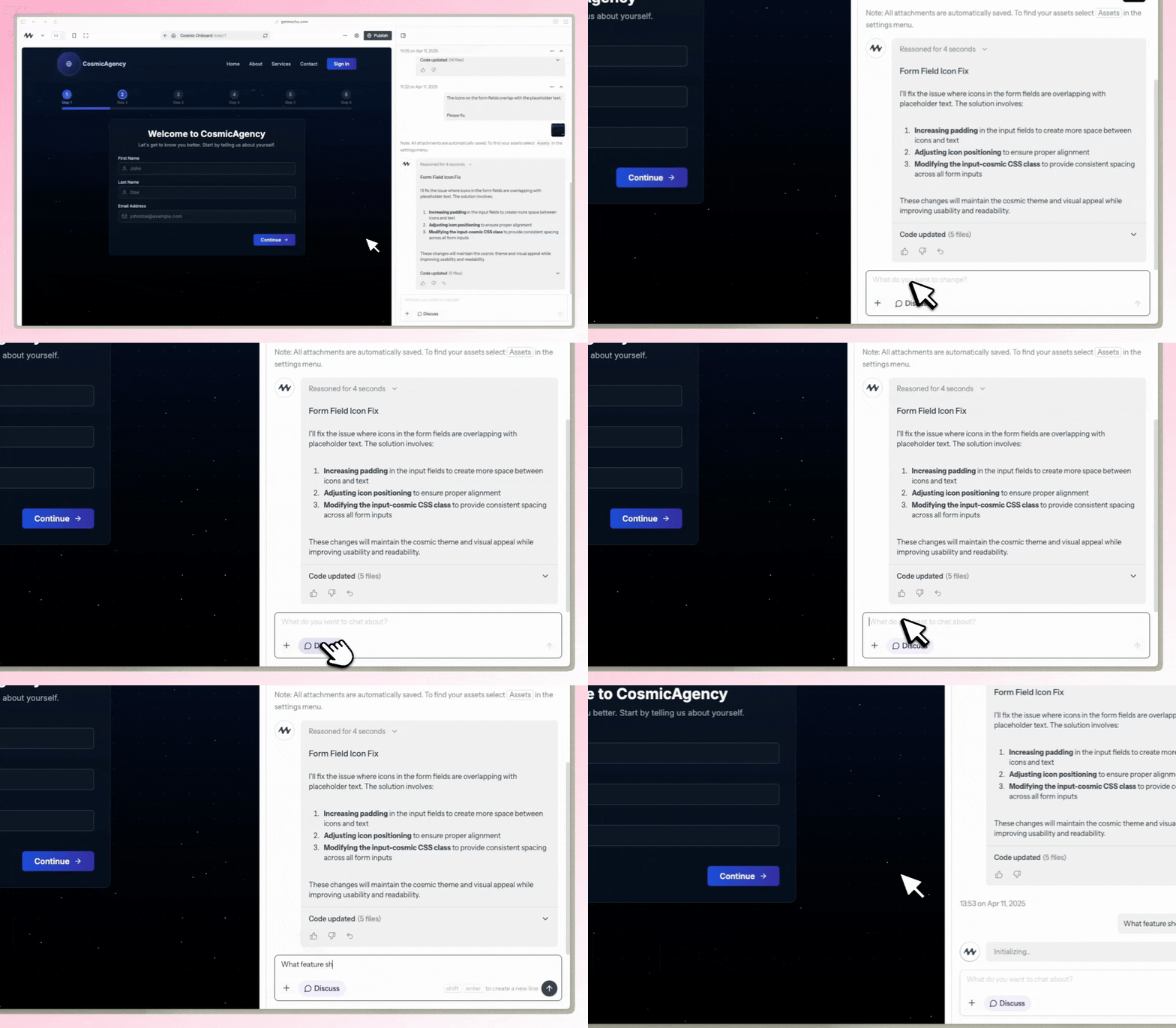
Discuss Mode can be toggled on and off at any time
Use Cases
Debugging & Problem Solving
- Get step-by-step breakdowns of errors
- Resolve stuck loops and infinite processes
- Understand complex error messages
Feature Planning & Implementation
- Identify minimal necessary changes for new features
- Plan database structures and relationships
- Design scalable system architectures
Product Development
- Refine feature ideas before implementation
- Make informed product decisions
- Structure features and onboarding flows
Code Quality & Best Practices
- Get real-time coding feedback
- Improve code readability and efficiency
- Learn and apply best practices
Knowledge & Documentation
- Store and organize development knowledge
- Create and maintain documentation
- Reduce redundant prompts and questions
Collaboration & Learning
- Bridge communication between technical and non-technical team members
- Get guidance on API integrations and technical concepts
- Learn new development techniques and patterns
Safe Discussion
- Guaranteed no code changes when Discuss Mode is active
- Freely ask questions and brainstorm ideas
- Get AI assistance without worrying about unintended modifications
How to Use
1
Toggle Discuss Mode
Click the “Discuss Mode” button in the interface when you want to chat about your code without making changes
2
Start Conversing
Ask questions, brainstorm ideas, or troubleshoot issues with the AI
3
Toggle Back
When you’re ready to make changes, simply toggle Discuss Mode off
Pricing
Discuss Mode now uses dynamic credits, just like regular code mode. Because it runs on the same model, each request may cost more than before—but the improved reasoning and context awareness often saves credits overall by helping you avoid mistakes and plan more effectively.