

Where To Find Analytics
In the Mocha app, click the Analytics tab in the top menu.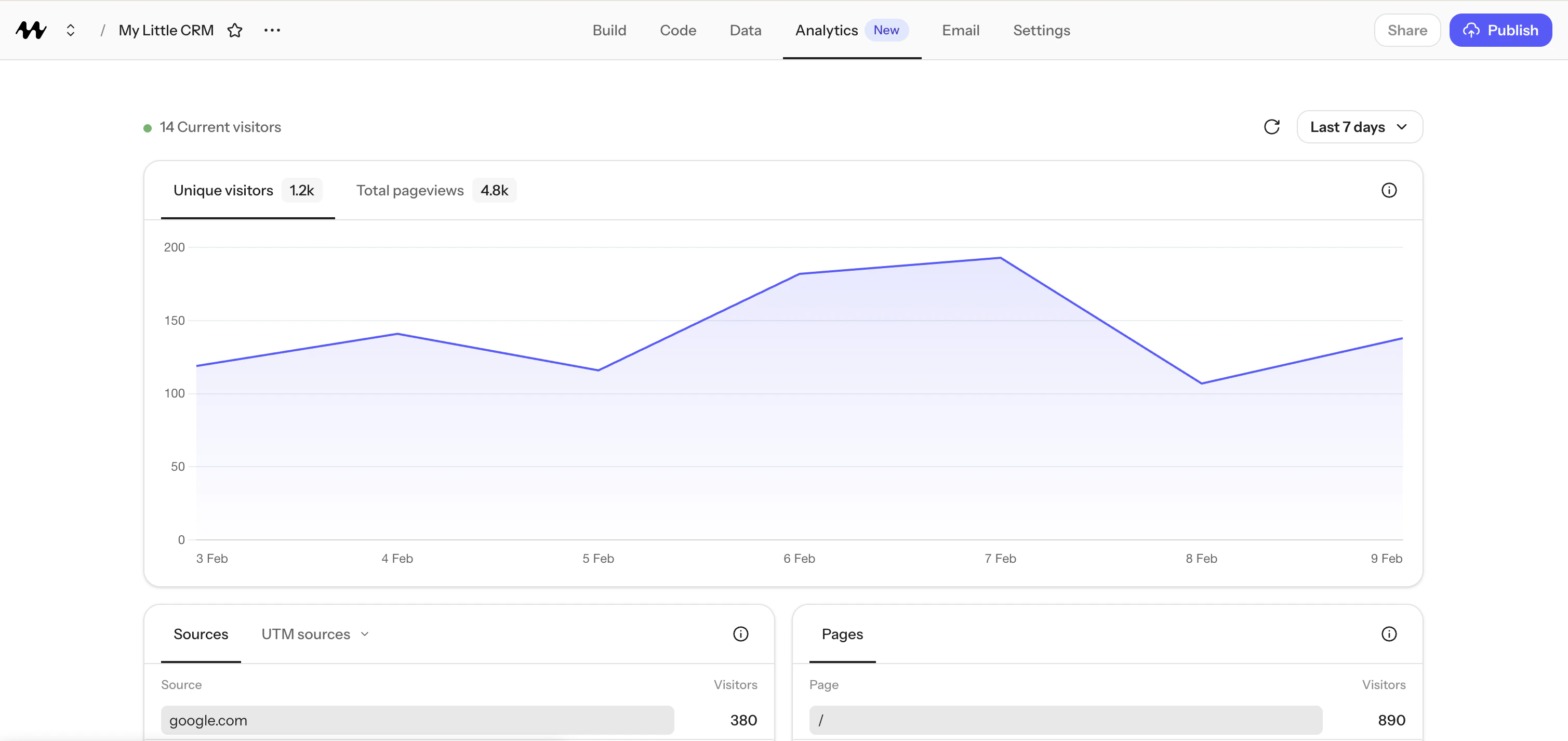
Analytics tab
Availability And Lookback Window
Analytics is available for published apps (including apps on a Mocha subdomain, not only custom domains). It is not available on the free tier. How far back you can view analytics depends on your plan:Visitors
Unique visitors: The number of people who visited your app during the selected time period. If someone visits multiple pages in one session, they are still counted as one visitor. Because the anonymous visitor identifier resets daily, the same person visiting on two different days will be counted as two unique visitors. Visitors using different devices (for example phone and laptop) are also counted separately since there is no cross-device tracking. Total pageviews: The total number of pages loaded across all visitors. If one person views 5 pages, that counts as 5 pageviews. Current visitors: The number of people on your app right now (within the last 30 minutes). This updates in real time regardless of the date range you have selected.Sources and Campaigns
Sources show where your visitors came from before landing on your app. For example, if someone clicks a link to your app from Instagram, the source may showinstagram.com. If someone clicks a
link from Google search results, it may show google.com.
Campaigns let you attribute traffic to specific marketing links by using UTM parameters. For
example:
- Source (
utm_source): where the link was posted (e.g.twitter,newsletter) - Medium (
utm_medium): the type of channel (e.g.social,email) - Campaign (
utm_campaign): the name of your campaign (e.g.launch,summer-sale) - Content (
utm_content): differentiate similar links in the same campaign - Term (
utm_term): identify keywords in paid search campaigns
Top Pages
Top pages show which pages of your app get the most visitors. Each entry shows the page path (the part of the URL after your domain) and how many unique visitors viewed it.Locations
Locations show where your visitors are located, broken down by country, region, and city. This is determined from the visitor’s internet connection and is approximate. It does not use GPS or precise location tracking.Devices
Analytics breaks device information down into:- Browsers: Chrome, Safari, Firefox, etc.
- Operating systems: Windows, macOS, iOS, Android, etc.
- Devices: desktop, mobile, or tablet.