

How to Duplicate
- Click the dropdown arrow next to your app name in the top-left corner
- Select Duplicate
- A new copy of your app is created with all its pages, assets, and settings
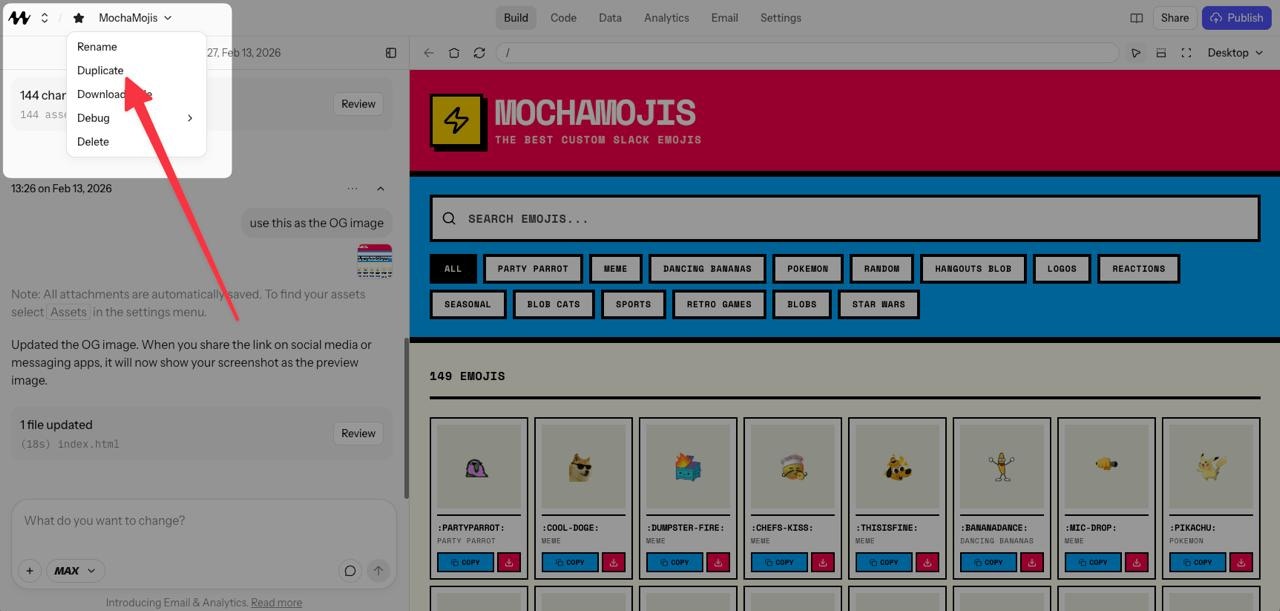
Duplicating an app from the project menu
When to Use It
- Experimenting: Try a bold redesign without risking your current version
- Remixing: Use a working app as a template for a new project
- Branching: Maintain separate versions for different audiences or use cases
Duplicating an app copies pages, assets, and settings, but does not copy database contents or secrets. If your app relies on data stored in the dev database, you’ll need to re-enter that data in the new copy.