

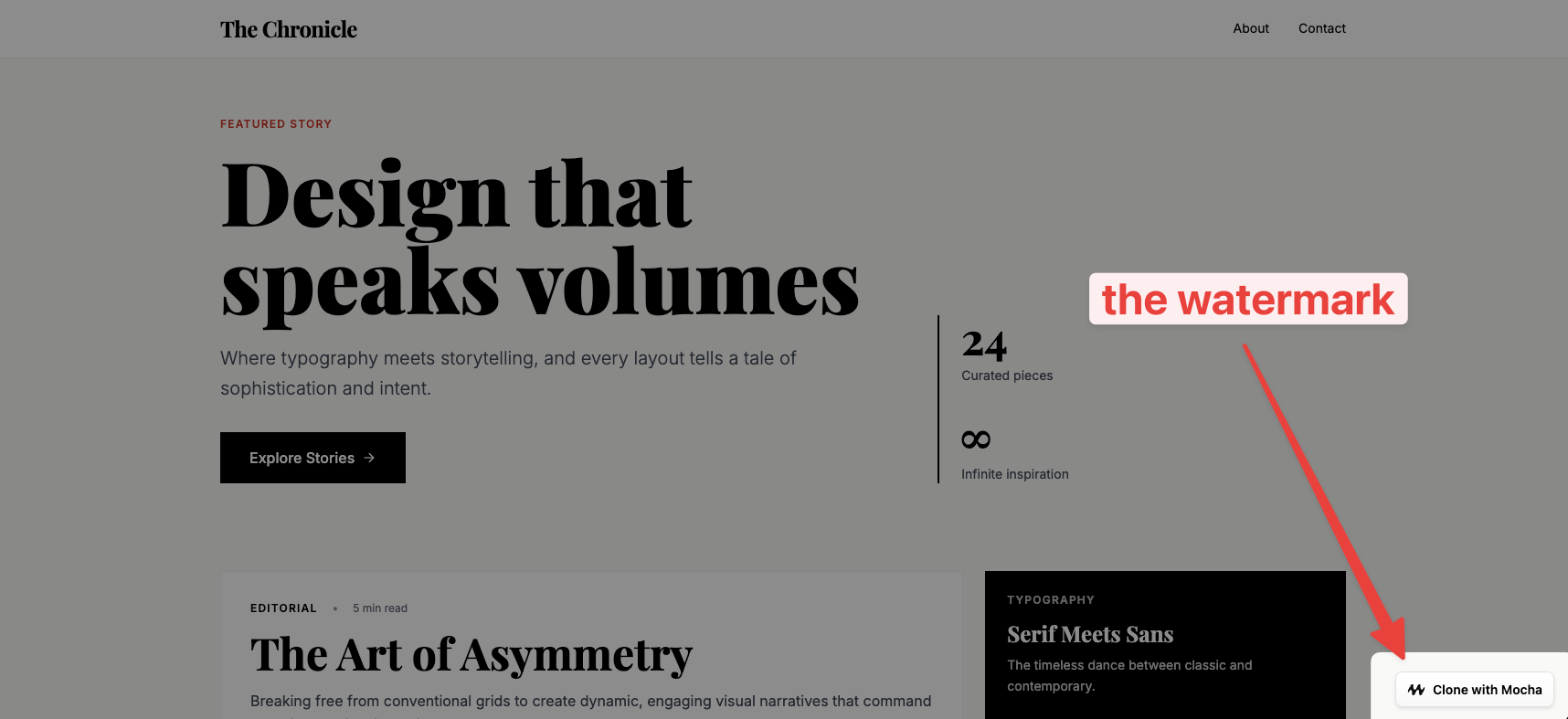
Removing the watermark is a paid feature. New apps created on paid plans have the watermark disabled by default. However, if you created your app while on the free tier and then upgraded to a paid plan, you’ll need to manually disable it.
How to remove the watermark
1
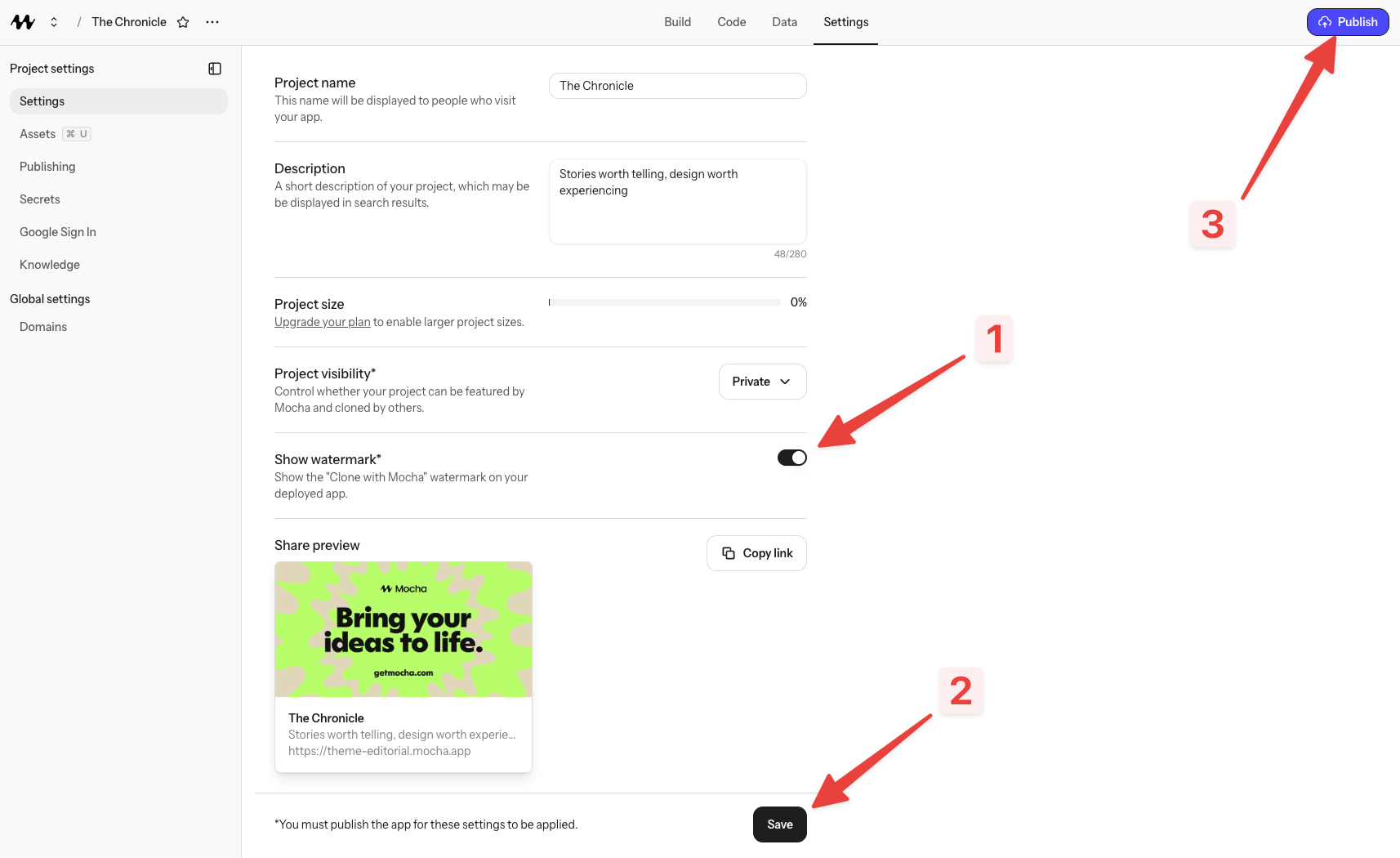
Go to Settings
Open your project settings in Mocha. You can find the Settings option in your project menu.
2
Untoggle 'Show Watermark'
Look for the “Show Watermark” toggle in your settings and turn it off.
3
Save your settings
Click the Save button to apply your changes.
4
Publish your app
After saving, make sure to publish your app for the changes to take effect on your live site. The watermark will remain visible until you publish.
Why do I still see the watermark?
If you’ve upgraded to a paid plan but still see the watermark, it’s likely because:- You created the app while on the free tier (watermarks are enabled by default)
- You haven’t disabled it in settings yet
- You saved your settings but haven’t published your app